Seventy-four percent of U.S. CEOs now say AI is a top investment priority KPMG U.S. CEO Outlook, 2025. Yet a Gartner survey found that nearly 30% of enterprises deploying AI have already experienced an AI security breach Gartner, July 2024. The gap between enthusiasm and governance is widening fast.
Asana AI Studio is part of the solution — its no-code builder automates task workflows with plain-language instructions. Slack intake and Jira sync are real capabilities. The challenge is what happens when the next team’s system of record is Salesforce or ServiceNow, and the workflow must cross that boundary with compliance and auditability intact. For a full feature comparison, see Asana vs. Hookshot™.
The Reality of Agentic Work Management in Asana
Asana has rebranded its platform as agentic work management. At its June 2026 Work Innovation Summit, CEO Dan Rogers unveiled a product suite that puts people and AI agents on the same plans, governed by Asana’s Work Graph. The acquisition of StackAI adds cross-system handoffs: workflows can extend beyond Asana to databases, CRMs, and ERPs.
These are genuine advances. For teams whose operational center of gravity is Asana, the combination of AI Studio, AI Teammates, and StackAI coordination is a practical step forward.
The question is where the work originates. 93% of early-access participants gave agents full autonomy to create and update work objects without human supervision, according to Asana’s Chief Product Owner Arnab Bose. That autonomy is valuable when the workflow lives inside a single system. When the trigger is a Salesforce opportunity closing, a Fathom call completing, or a GitHub PR merging, the unit of work is not an Asana task update — it is an event in a system Asana does not own.
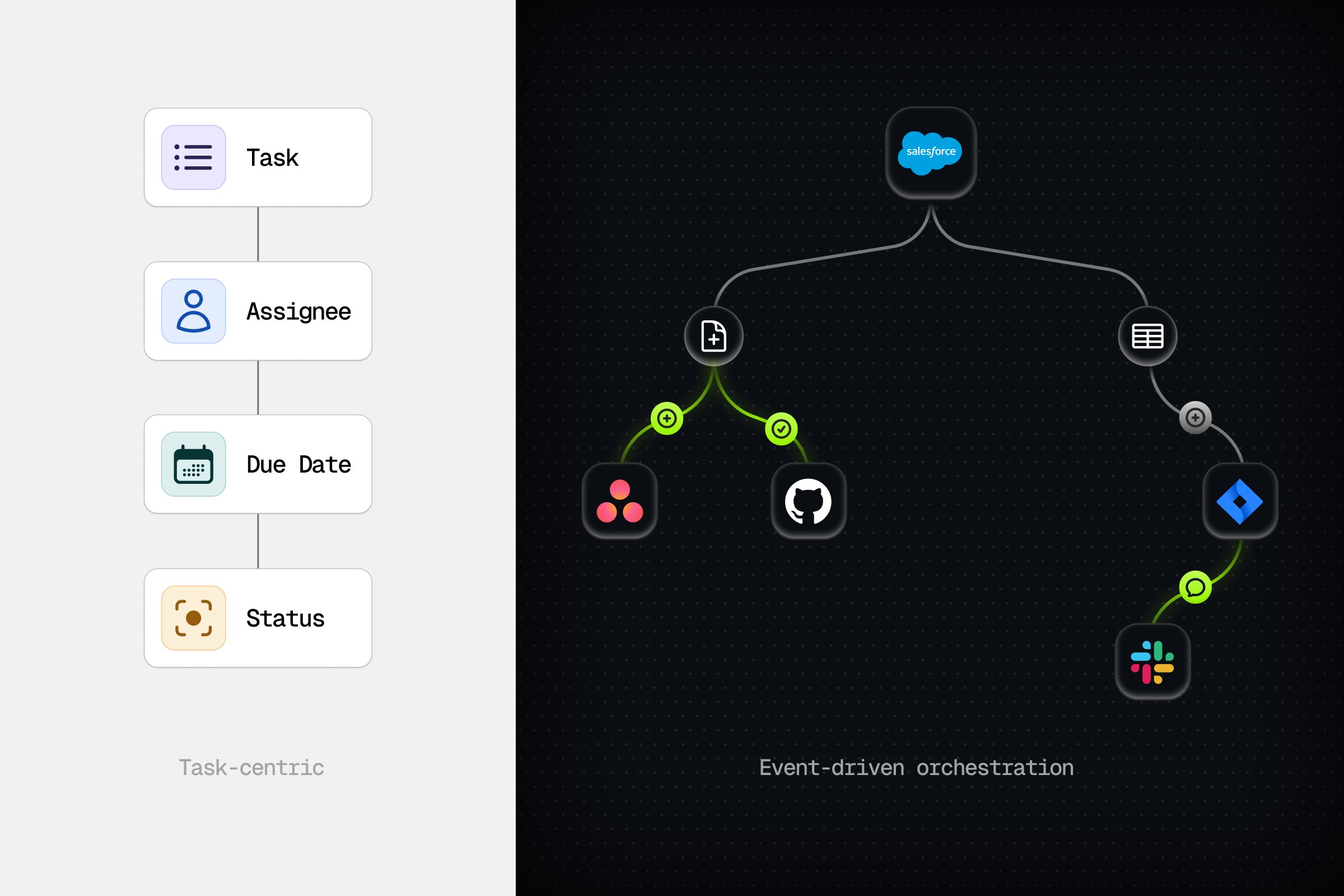
This is the architectural distinction. Task-based triggers fit workflows centered on Asana. Event-driven triggers fit workflows that span multiple tools of record.
The Hidden Costs: Credits, Pricing, and Scaling Friction
AI Studio Basic is included on paid Asana plans — Starter, Advanced, and Enterprise. The friction starts when teams scale to Plus or Pro tiers.
Community discussions reflect a pattern. Users report credit consumption at 200K credits per person per month for current usage patterns, with Plus priced at approximately $150 per user monthly when paid month-to-month. One user described the challenge as “credit management friction at scale.” Another team detailed how they accidentally burned through 4 million AI Studio credits in a month.
Credit-based pricing is a reasonable model for experimentation. For predictable operational workloads it creates Opex uncertainty. An automation platform that charges per agent run, where each run is 100K input tokens at a flat rate, gives finance teams a number they can budget around. A platform that charges per credit consumed by third-party tools, with variable usage patterns, does not.
Why Operations Teams Need More Than Task-Based Triggers
Asana AI Studio workflows initiate on task triggers: a task is created, moved, assigned, or due. These are human-initiated or schedule-based events.
Enterprise operations work differently. A deal closes in Salesforce. A security alert fires in Splunk. A code review completes in GitHub. The event is the trigger, and the system that owns the event is the source of truth. “Agents need to gather information from multiple sources, including other agents, tools, and external systems, to make decisions and take action,” writes the team at Confluent in their analysis of event-driven architecture for agents. “Connecting agents to the tools and data they need is fundamentally a distributed systems problem.”
Forrester’s 2026 predictions make the same point more bluntly. Thirty percent of enterprise app vendors will launch their own MCP servers this year, allowing external AI agents to securely connect and correlate data across disparate systems. The alternative — point-to-point API calls to each tool — creates brittle, tightly coupled architectures that break the moment a schema changes.
This is not a criticism of Asana’s design. Asana is designed for Asana-centric work management. The gap is that enterprise operations are rarely centered on one tool.
The Governance Gap: Audit Trails vs. Agent Records
Asana Enterprise+ provides an Audit Log API for security and compliance domain events — SIEM integrations, admin actions, data access. This is a real and valuable capability.
It is a security audit log. It captures who accessed what. It does not capture what the agent decided, which tools it called, why it skipped a step, or what the cost was. For PMO and compliance officers, the distinction matters. The difference is the same one Forrester identified in its governance predictions: ‘autonomous governance modules’ that combine explainable AI, automated audit trails, and real-time compliance monitoring are becoming a requirement, not a differentiator.
Salesforce’s fourth State of IT report confirms the gap is real and costly. Only 52% of security leaders said they are fully confident they can deploy AI agents in compliance with regulations and standards. Fifty-one percent are not fully confident in the accuracy or explainability of their AI outputs. Fifty-four percent have not perfected their ethical guidelines for AI use.
Governance is not a checkbox. It is a per-run requirement.
Hookshot™: Event-Driven Orchestration for Enterprise Operations
Hookshot™ is built on event-driven architecture. When a real event fires in a connected tool, the platform evaluates it, routes the right agents in parallel, and executes across every system your team already uses. There is no polling, no cron jobs, and no human routing layer.
The platform follows a five-layer stack: Connect → Learn → Watch → Approve → Automate.
Event feed — every trigger from every connected tool lands in a single immutable log. Jira tickets. Slack messages. Salesforce opportunities. GitHub PRs. One log, every system, every event, replayable.
Smart routing — a lightweight layer evaluates each event and activates only the agents that are relevant. The router is deterministic and inspectable. No surprise wake-ups.
Parallel agent execution via MCP — each agent is focused and atomic. Multiple agents act on the same event concurrently, mirroring how real teams work. Triage, owner notification, status update, and customer communication happen at once, not in sequence.
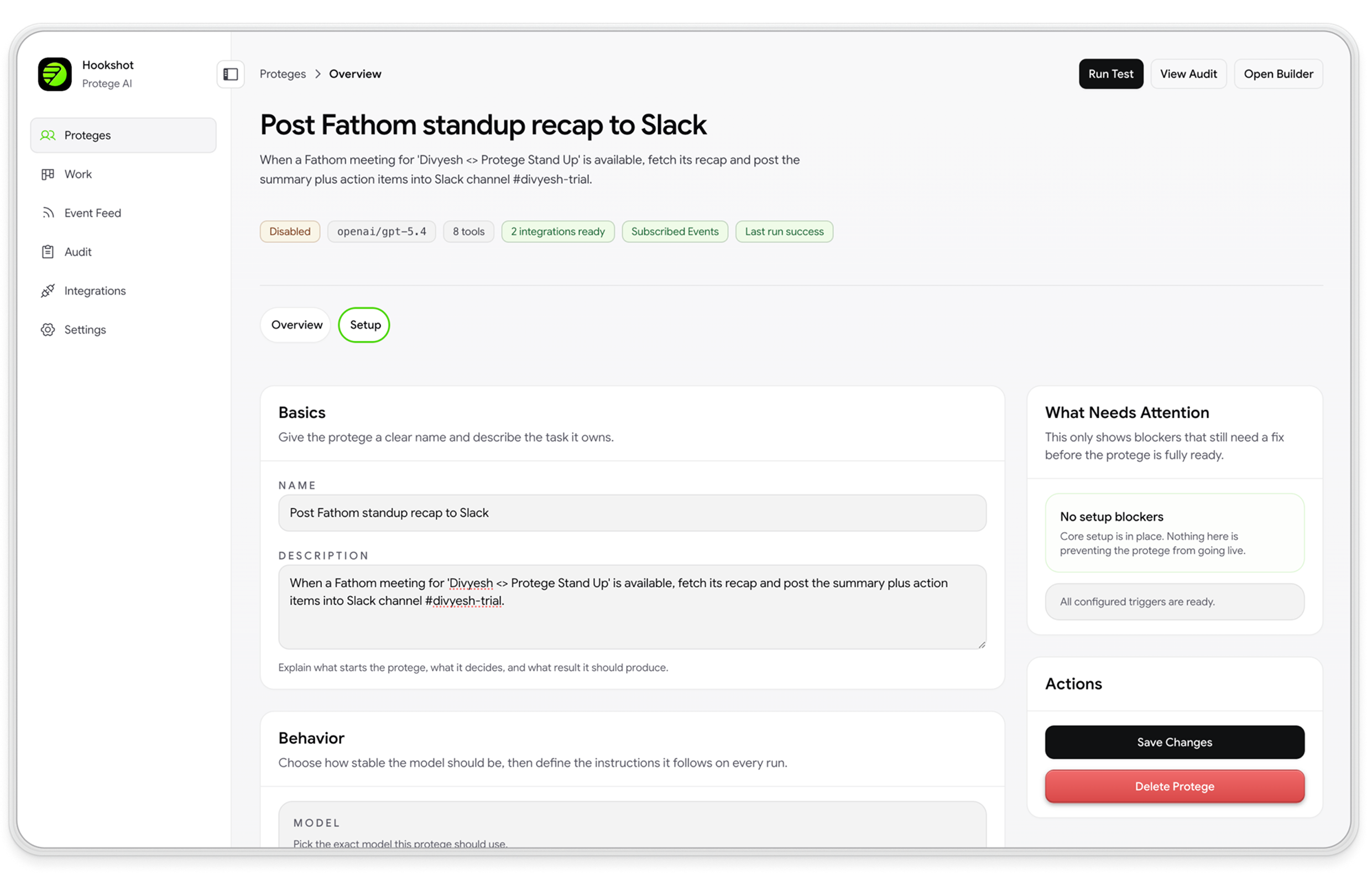
Preview mode — before turning on writes, the agent runs alongside live work and shows the action it would take. Zero writes until your team approves.
Per-run audit trail — every agent run produces a step-by-step record of decisions, tool calls, skips, costs, and outcomes. Compliance gets an immutable log. Engineering gets a debugger. Finance gets per-run cost attribution.
The result is a platform that an ops leader can trust with high-volume operational work, and an engineering manager can defend in a security review.
The Bottom Line: Choosing Your AI Strategy
Four considerations for enterprise operations teams evaluating AI platforms:
- Asana AI Studio is excellent for automating workflows inside and around Asana. Its no-code builder, Slack intake, and Jira sync are real capabilities that reduce manual work for teams already centered there.
- Enterprise operations spanning multiple tools of record need event-driven orchestration. When the trigger is a real event from a real system — not a task movement inside a project board — workflows need agents that listen, route, and execute across boundaries.
- Governance must include per-run agent records, not just security access logs. The distinction between “who accessed what” and “what did the agent decide” is the gap between security audit and operational compliance.
- Predictable pricing scales better than credit-based consumption for high-volume operational work. When an agent runs a million times a year, flat-rate per-run pricing creates budget certainty. Variable credit pricing does not.
Asana works well for tasks. Hookshot™ works for the orchestration of work across your stack. If your operations span multiple systems of record and your team needs event-driven agents with per-run audit trails, book a demo and we’ll show you how to connect once, watch the agent work without touching anything live, and turn on writes when your team is ready.
Key Takeaways
- Asana AI Studio excels at Asana-centric work management — its no-code builder, Slack intake, and third-party triggers are genuine advances for teams centered on Asana.
- The unit of work in AI Studio is an Asana task update — when your trigger is a Salesforce opportunity, a GitHub PR, or a Fathom call, you need event-driven architecture, not task-based triggers.
- Credit-based pricing creates Opex uncertainty at scale — flat-rate per-run pricing is more predictable for high-volume operational work.
- Security audit logs are different from per-run agent records — governance requires explainability of agent decisions, tool calls, skips, and costs, not just access logs.
- Hookshot™ connects 1000+ tools via MCP — parallel agents react to real events with preview mode and approval gates before writes.
Frequently asked questions
What is Asana AI Studio?
Asana AI Studio is a no-code workflow builder inside Asana that lets teams automate task-based processes using plain-language instructions. It supports AI Teammates, Slack intake, third-party triggers, and cross-system handoffs via StackAI. AI Studio Basic is included on paid plans; Plus and Pro tiers scale credits for heavier usage.
What is the pricing for Asana AI Studio?
AI Studio Basic is free on Starter, Advanced, and Enterprise plans. AI Studio Plus is approximately $150 per user per month when paid monthly, with a credit pool of 100,000 credits per user. AI Studio Pro is priced via custom enterprise agreement. Credit consumption scales with third-party tool usage; some teams report burning through credits faster than anticipated.
Can Asana AI Studio integrate with Jira, Salesforce, or Slack?
Yes — with qualifications. Asana supports Slack intake channel routing, Jira two-way sync for linked tasks on Advanced+ plans, and StackAI handoffs for CRM and ERP data. These are sync and intake capabilities, not full multi-agent orchestration with approval rules and per-run audit trails.
Does Asana AI Studio have audit trails?
Asana Enterprise+ provides an Audit Log API for security and compliance events — admin actions, data access, SIEM integration. This is a security audit log. It does not capture per-run agent decisions, tool calls, skips, or costs. For operational compliance — understanding what the agent decided and why — teams need per-run agent records, not just access logs.
How do you use Asana AI Studio?
To build a workflow in Asana AI Studio, you start with an Asana project, map a trigger (task created, assigned, or moved to a section), add AI instructions, and connect outputs to Slack, email, or third-party tools. StackAI handoffs extend this to external CRM and ERP systems. The builder is intentionally project-centric — ideal for teams whose work already lives in Asana. For a walkthrough of building your first agent, see Asana's AI Studio help center.
How does Asana AI Studio compare to Hookshot™ for enterprise operations?
The core distinction is the unit of work. Asana AI Studio triggers on task movements inside a project; Hookshot™ triggers on real events from any connected system. Both have preview and approval capabilities, but Workhub is designed for teams that need per-run agent records when the next system of record is Jira or ServiceNow, not just field sync. See the full Asana vs. Hookshot™ comparison for a feature-by-feature breakdown.
What is event-driven workflow automation?
Event-driven workflow automation triggers work by real events from real systems — a Jira ticket created, a Salesforce deal closed, a Slack message posted — rather than by human-initiated task movements. Hookshot™ extends this pattern with AI agents that evaluate events in parallel, execute across multiple tools of record, and write back with full approval gates and per-run audit trails.